Type it, say it, or send it — we'll get you sorted.
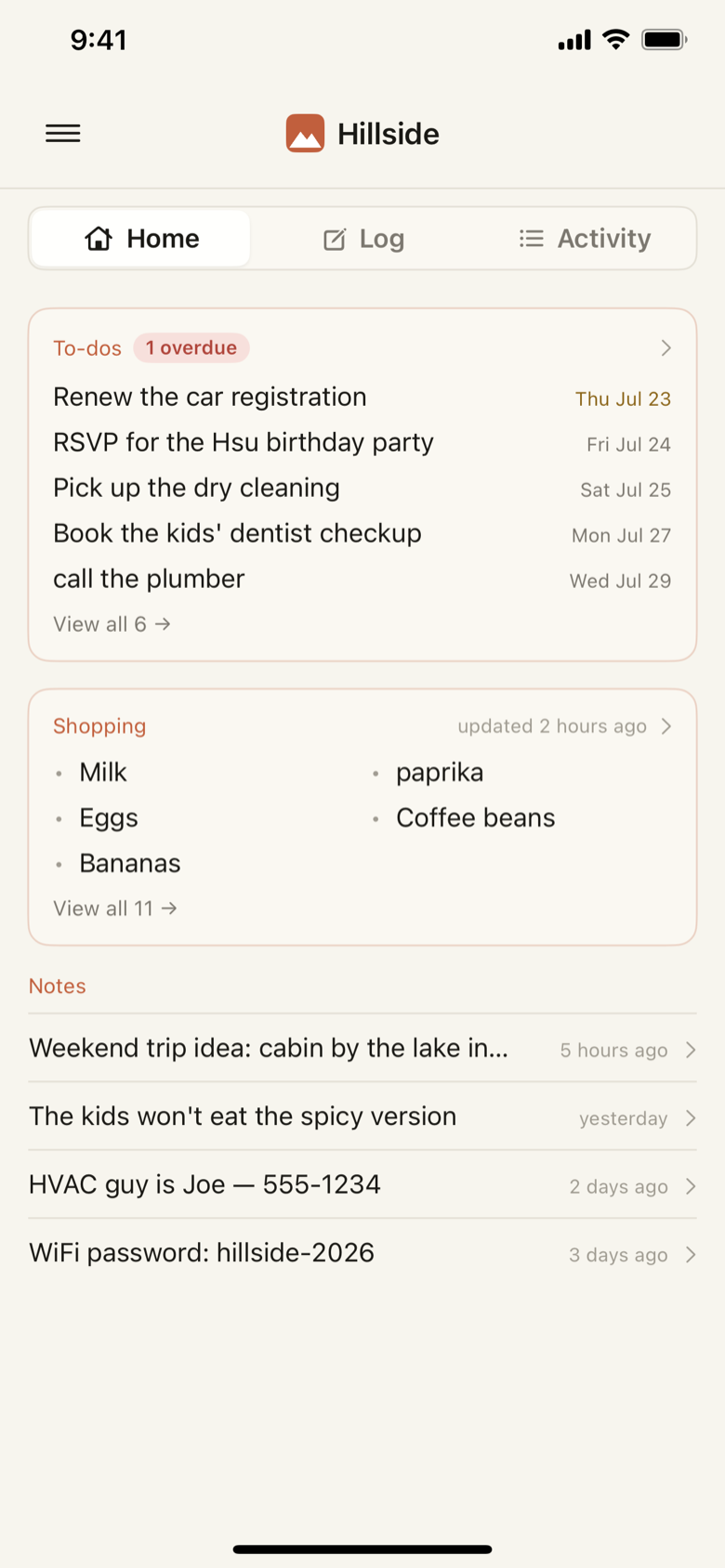
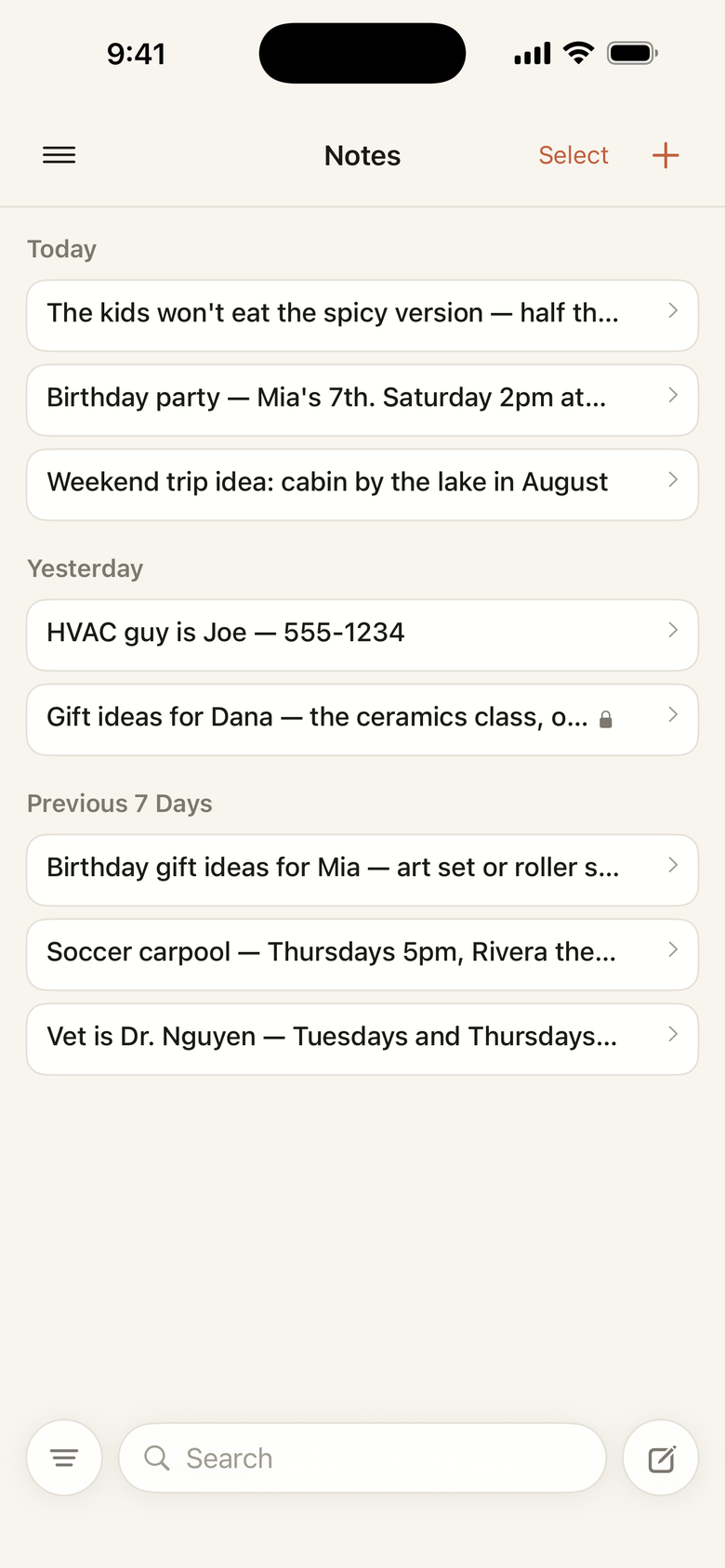
Notes, to-dos, shopping items, forwarded emails, receipt photos — Hillside reads each one and puts it where you'll look for it later. Everyone in the house sees the same thing, and anyone can add. Nothing to set up, no system to keep up.
Up and running in seconds. Already have an account? Log in.
Right now it's scattered: an email to yourself, a text to your partner, a screenshot in the camera roll, two apps and your head. Even a perfect to-do app leaves the filing to you — and the week you stop filing is the week you stop trusting it. Hillside does that part.
Jumbled is fine
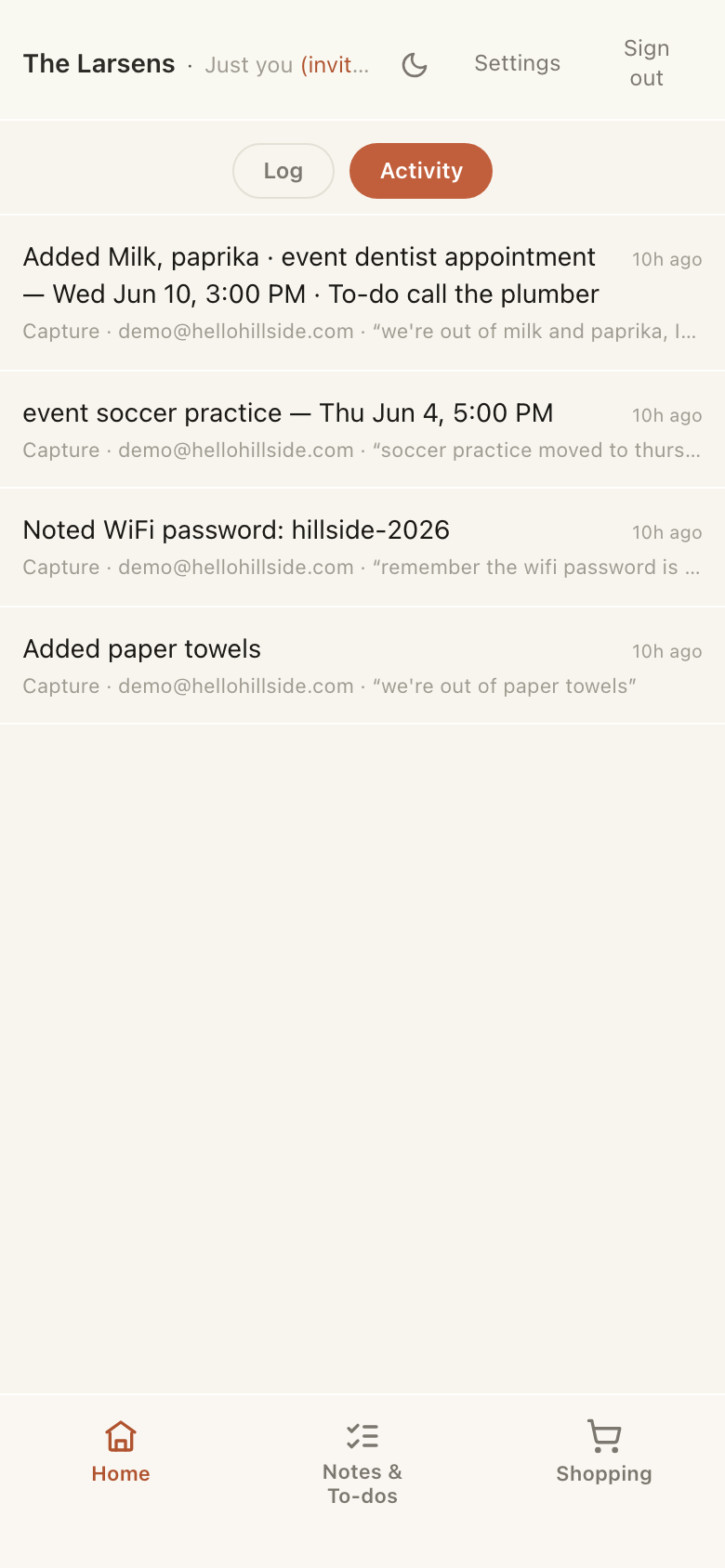
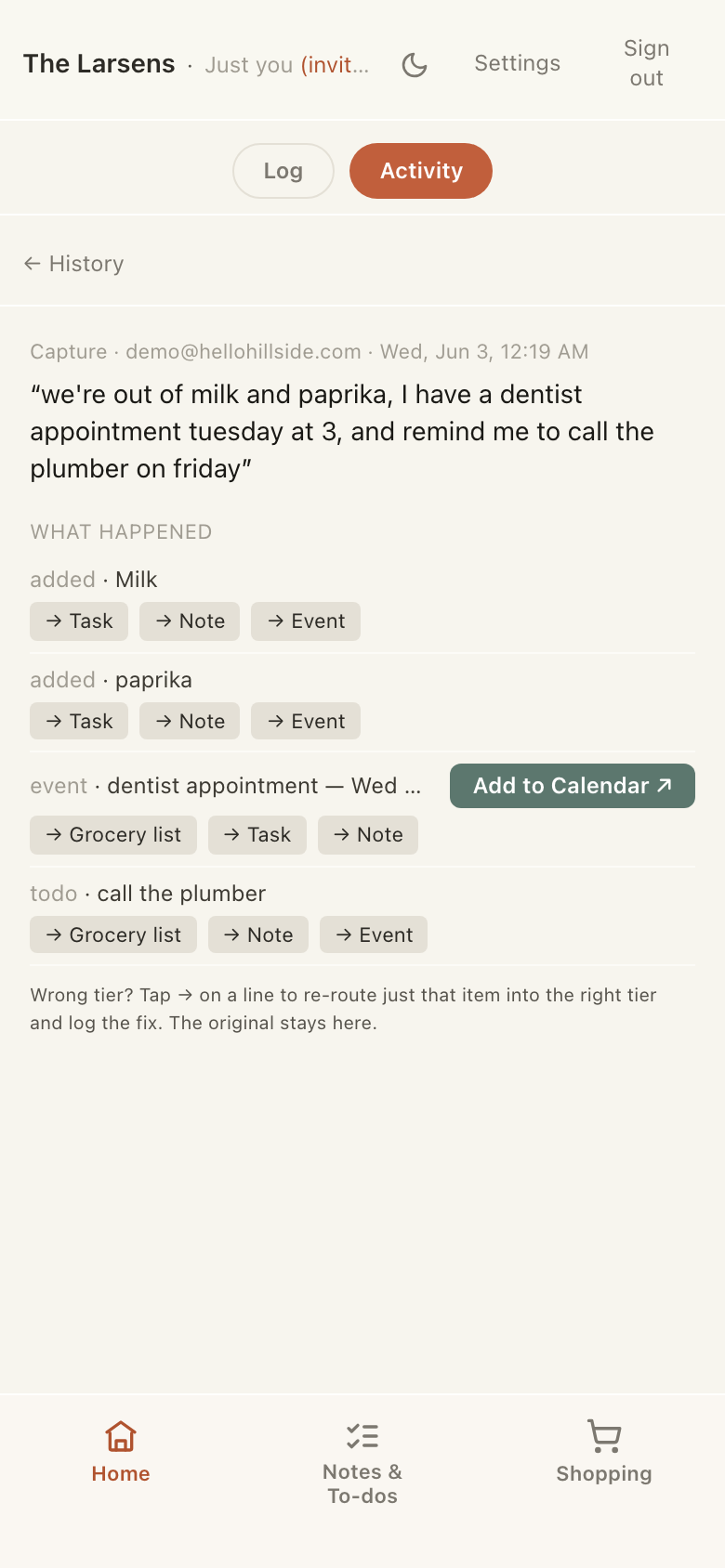
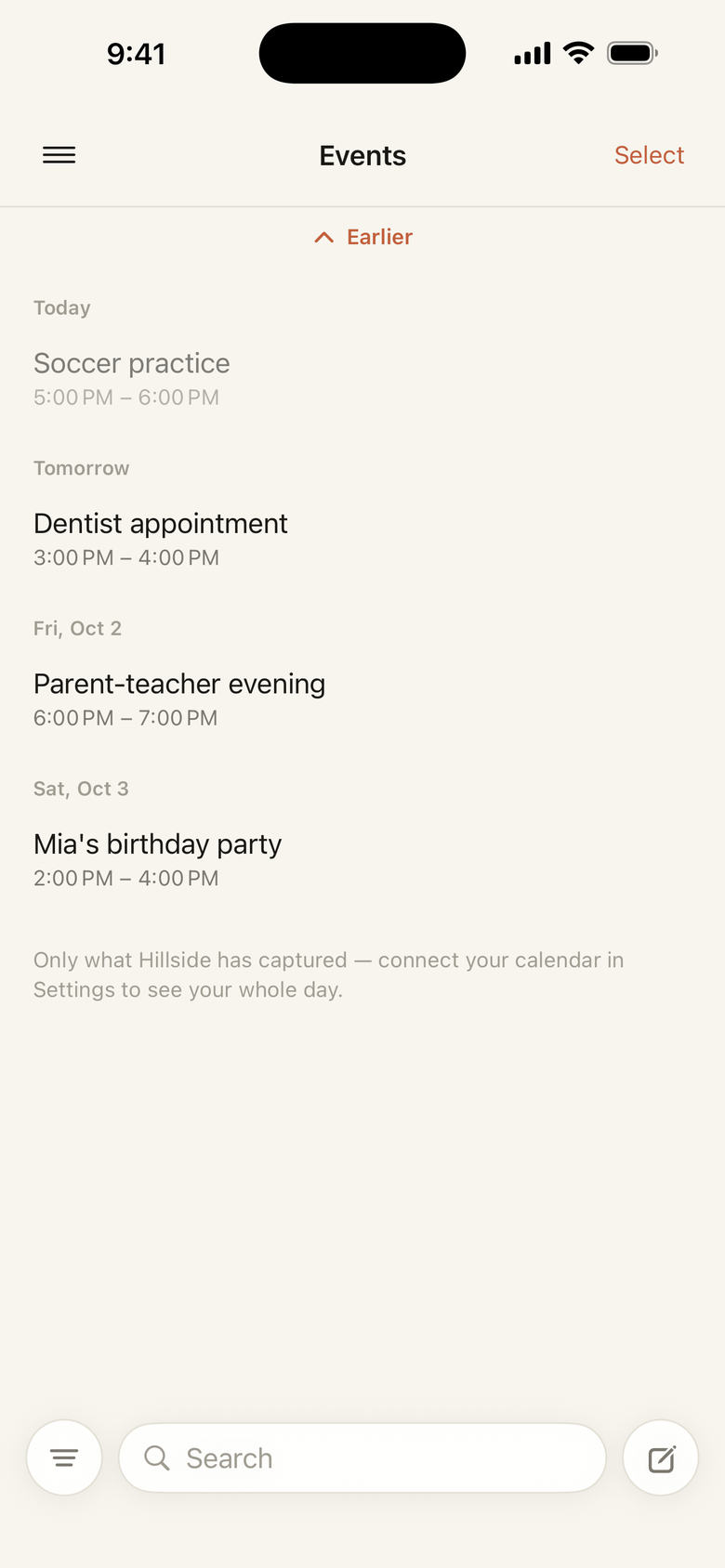
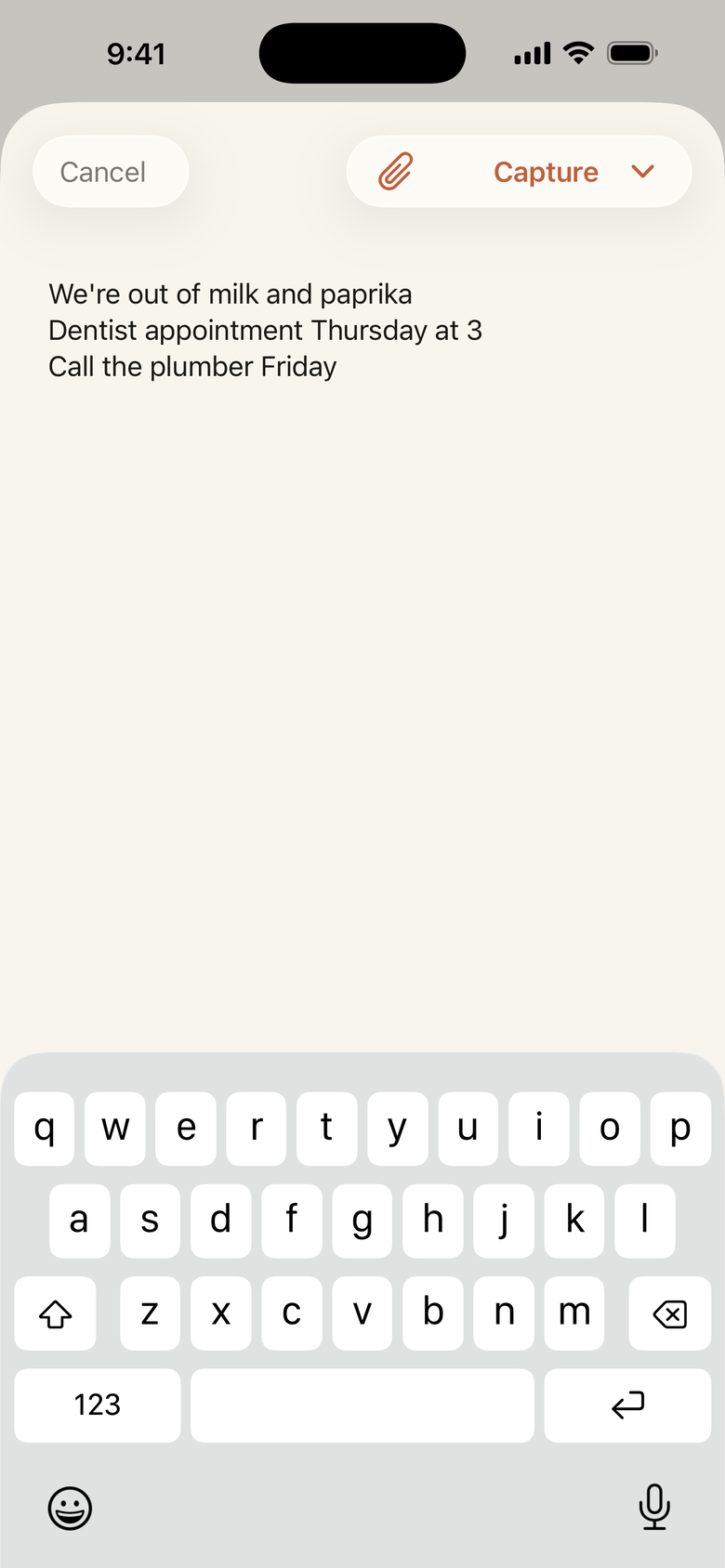
Groceries, a to-do, the dentist at 3, a photo of the receipt from the store, a voice memo from the walk home — jumbled together. Hillside reads the photo and transcribes the memo right on your phone, pulls each thread apart and sends it where it goes — no list to pick, no category. Guessed wrong? Open it and move it in a tap.
Email it in
Forward an email or BCC a receipt to the Hillside capture address, from the address on your account, and it lands in the same place everything else does — pulled apart and filed, no app to open. Attachments count too: forward a PDF bill and Hillside reads it, filing a to-do with the amount and the date it's due.
Just tell Siri
Hands full, halfway out the door? Say “Hey Siri, capture in Hillside” — or “brain dump to Hillside” — then say the thing. It's caught and filed without unlocking your phone or opening the app.
Waiting where you'll look
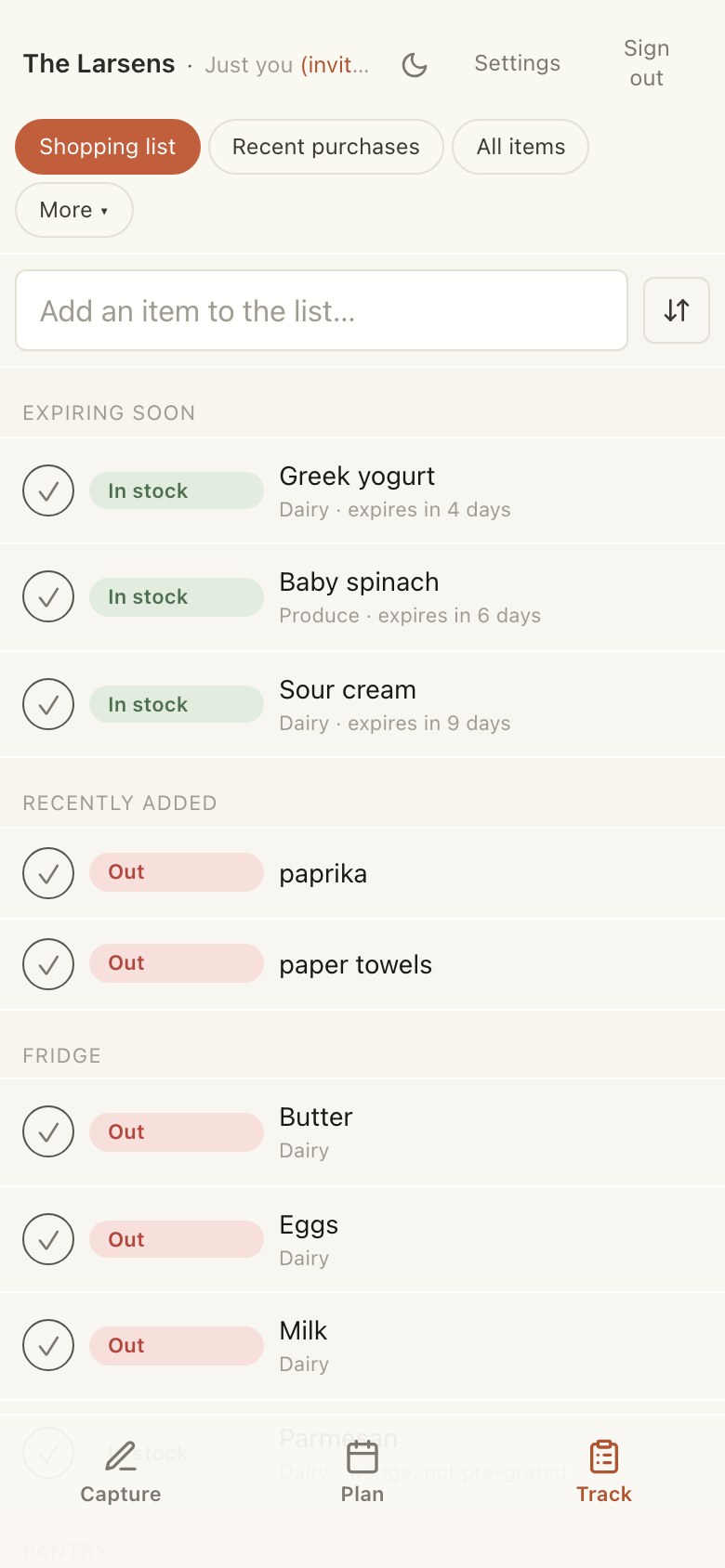
Groceries on the shopping list. To-dos in one searchable place. Say “soccer Saturday at 9,” and one tap drops it on your calendar — no form, no fiddling with the date. Nothing to dig for.
Ask instead of dig
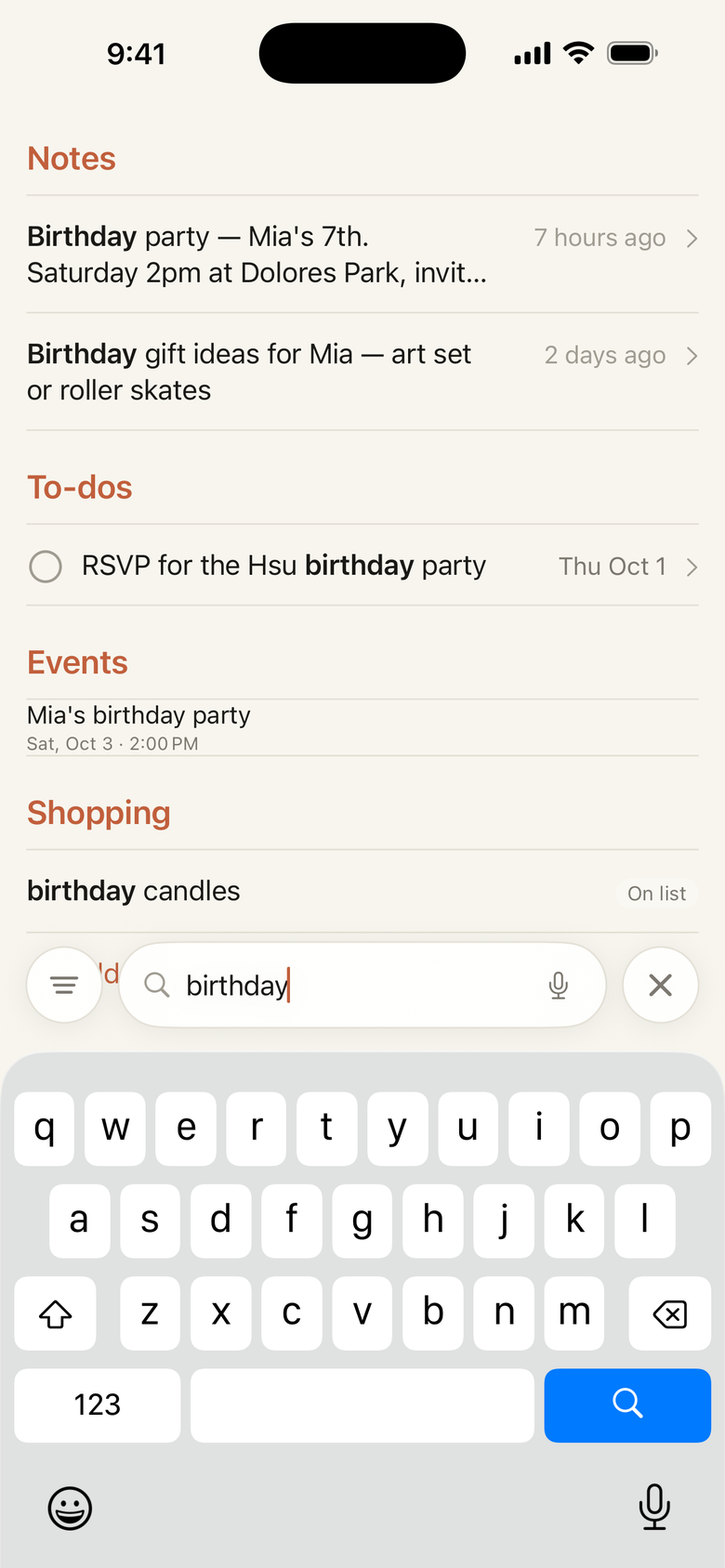
In the aisle wondering if you're out of paprika? Type it once and Hillside searches the whole house at a go — the shopping list, your notes, every to-do. It goes by what you mean, not the exact word, so “where to eat” turns up your “Restaurants to try.”
Right on your home screen
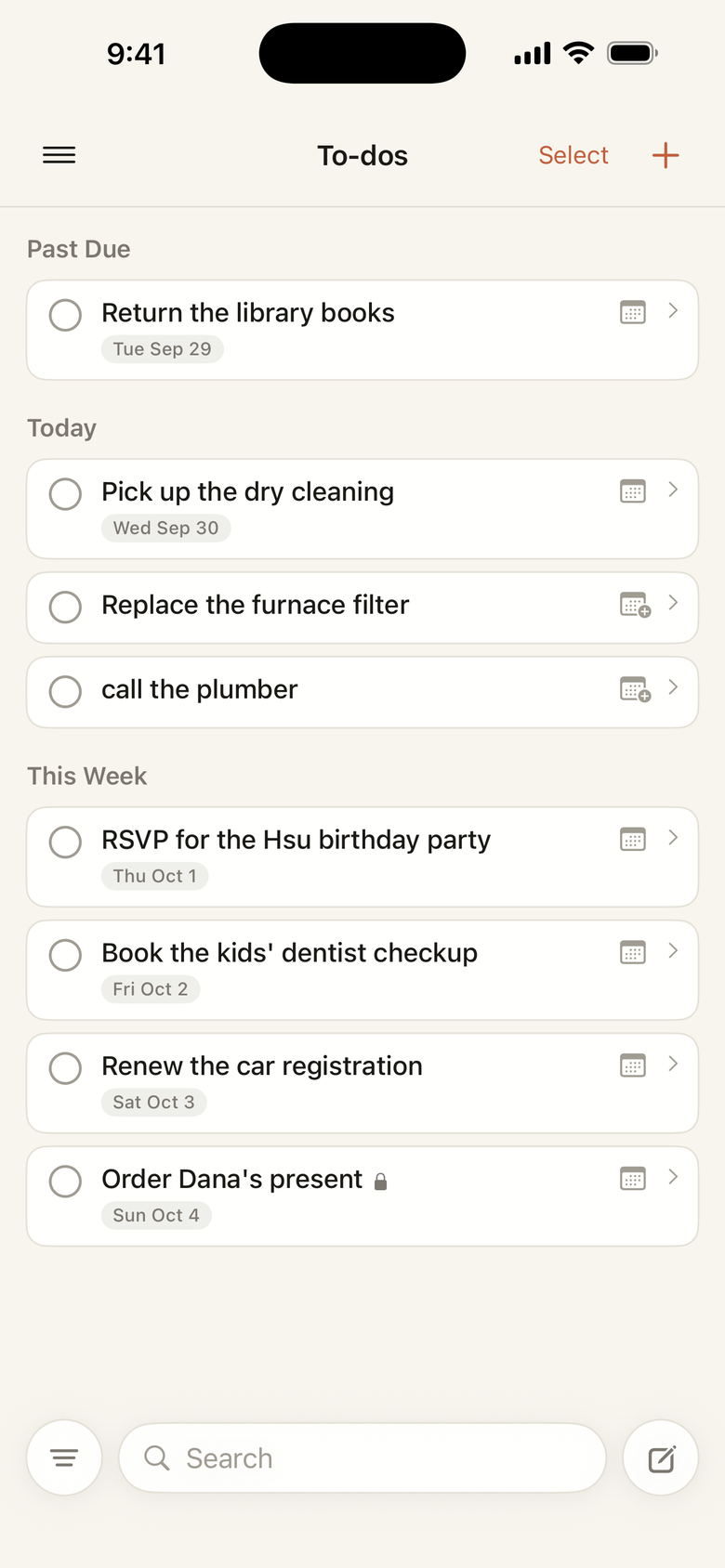
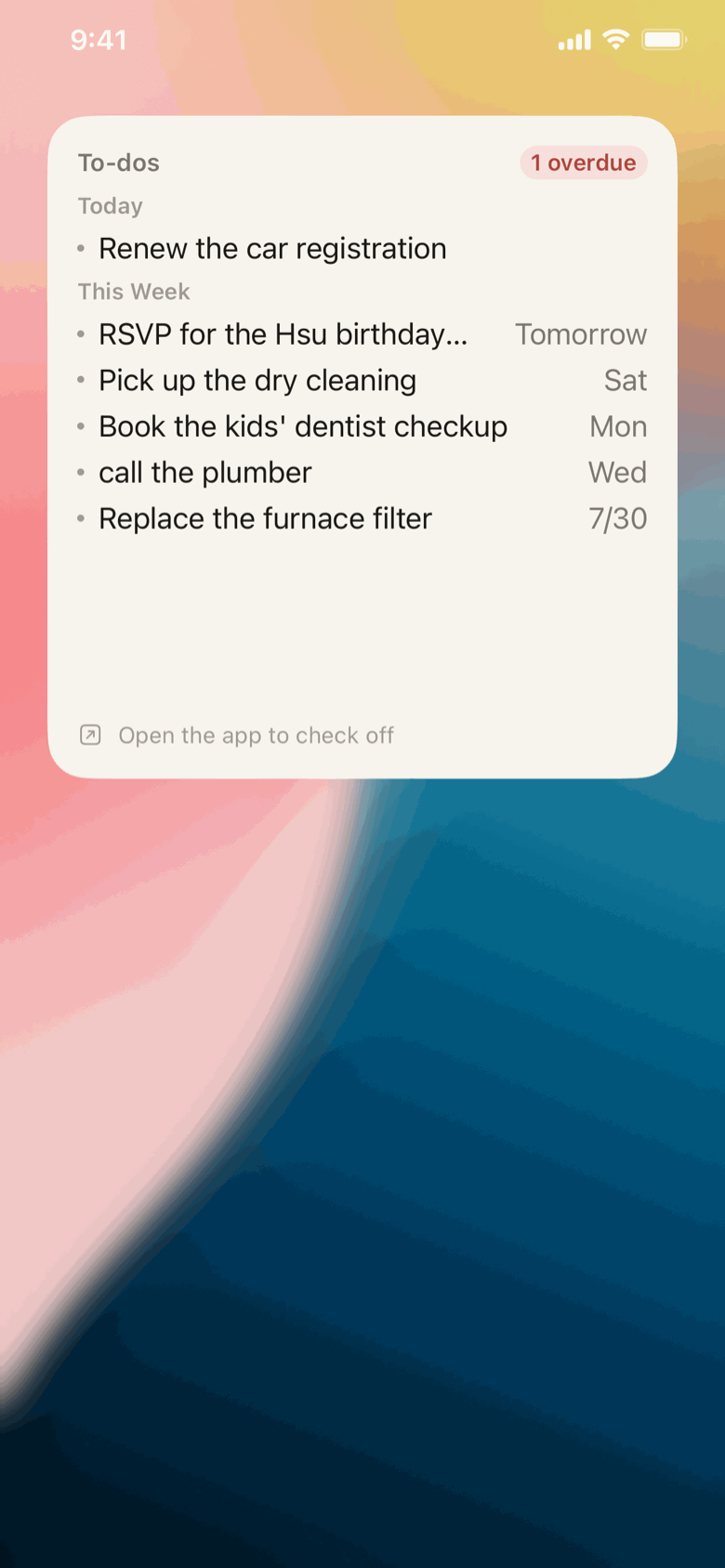
Add the To-dos widget to your iPhone home screen and what's due is there without opening a thing. It leads with the next seven days and flags anything overdue; tap a line to open it and check it off. Size it small or large, and set it to show dates, an overdue count, or only what's late.
One memory, the whole house
It lives in the household, not on one phone. Your partner adds something from the store and it's there before you've found your shoes. Everyone sees the same thing, and anyone can add or fix it — so the whole house is in it together. Need one just for you — a gift, a surprise, a doctor's appointment? Keep it to yourself in a tap; the rest stays shared.
Share just one thing out
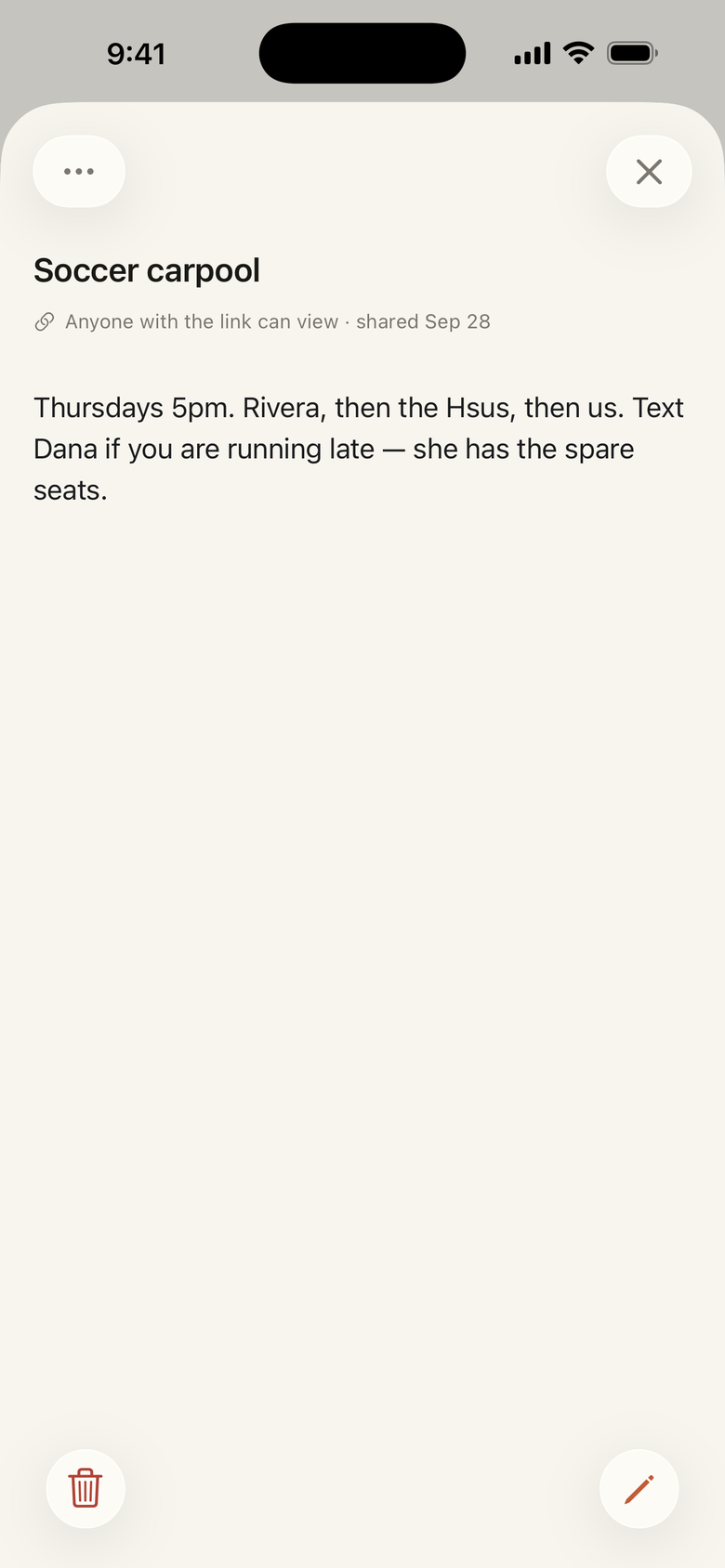
The house shares everything by default — but now and then one note has to reach someone outside it. Hand the sitter the week's plan and the dinner notes, or a contractor the punch list: a read-only link to that single note, nothing else in the house. Change your mind and the link goes dead.
Ask from your chat app
Connect Hillside to a compatible MCP chat app, including Claude and supported ChatGPT plans, and ask: “what can I make in 30 minutes with what's in the house?”, “remember the recycling goes out Thursday,” “we're out of butter.” Use text, or talk in apps that make connectors available to voice. Hillside reads and updates your household for you.
A peek inside